In web design, there are countless different styles and directions you can take. You can opt for playful and vibrant, or sleek and modern. Your web design should reflect your personal style, profession, and brand identity. In addition, there are a number of web design tips and rules that you should always keep in mind when creating your designs. Below, we’ve compiled 10 simple web design tips to help make your website effective and appealing.
1. Ensure a clear website structure
Building the structure of your website isn’t easy, but it will have a significant impact on the success of your final website. In addition to influencing your visitors, it also influences Google. Google always prefers websites with a clear structure.
Therefore, always start with keyword research related to your services or products. Make sure each page revolves around a specific keyword. Based on your keyword research, you determine the page layout, which you can clearly map out with a sitemap.
Example website structure in web design – Cozy for your home
2. Create a mobile-friendly web design
In recent years, the percentage of traffic from mobile visitors has risen significantly. For this reason, it is extremely important that your website is also mobile-friendly. The best practice is to use “responsive web design,” which means the website automatically adapts to the screen size. Your website will also rank higher in Google, as search engines prioritize mobile-friendly websites.
When creating web designs, it is therefore advisable to create both a desktop design and a mobile design for important pages. For example, how do you want users to view a list of categories in your online store?
On desktop, you have plenty of space and can neatly arrange everything side by side:
Overview of categories on desktop – De Wijnschuur
This space is not available on mobile, so you’ll need to make different choices here. You might consider one of these two examples:
In example 1, you choose to list the categories one below the other, with the user scrolling down, and in example 2, users can swipe or use the arrows. Both examples have pros and cons, and the choice you make depends on various factors.
3. Create a web design that is discoverable online
This tip primarily concerns SEO techniques, but also the layout of the design. In terms of SEO techniques, it is important that you have an HTTPS website. Google considers an HTTPS website to be secure, which means you will be displayed higher on the search results page.
As for the layout, a logical internal link structure is important. By linking internally to other pages on your website, you increase your SEO value. Additionally, it’s important that visitors can reach the right pages with as few clicks as possible.
4. Make page speed a priority
Page speed refers to the time it takes for a web page to load. Each web page can have a different page speed, depending on elements such as image sizes, coding, and plugins. Google conducted its own study, which showed that a slower page speed increases the bounce rate. So you want to avoid that!
If you work with WordPress, there are various plugins you can use to increase your website’s speed. Consider, for example, caching plugins or plugins that automatically resize your images, such as Imagify or Smush PRO. This brings us straight to the next point: optimizing images.
5. Optimize images
Images bring your website to life and serve as a visual representation of your brand and products. But if that’s the case, why can’t you just add a few high-resolution photos to your website and call it a day? The answer is simple: page speed is important, and image sizes play a major role in this.
If your images are too large, your page will also be too large. This reduces both page speed and conversions. To prevent this, there are WordPress plugins that automatically optimize your images. Of course, you can also do this manually.
Find a guide here on how to resize photos with Pixlr.
6. Use call-to-action buttons
As soon as someone visits your website, you want to direct them to web pages that lead to a conversion. Make it as easy as possible for visitors by pointing them in the right direction, so they don’t have to struggle to find what they’re looking for.
The best way to do this is by using call-to-action (CTA) buttons. You can strategically place these in areas such as the top-right corner of your navigation menu, below sections that require action, or at the bottom of a webpage.
The easiest way to implement CTA buttons is to put them everywhere. However, users won’t take action if they aren’t ready yet. Instead of overwhelming users with CTA buttons, you should place them strategically, depending on the page they’re viewing.
Example of Call to Action – Fashion Doll
7. Good typography
Typography encompasses everything related to the layout of text. This includes font, line spacing, and white space. These factors are crucial for readability and for reaching the right target audience.
First and foremost, it’s important to use a consistent font throughout your website. Using more than three different fonts can quickly make your website look unstructured and unprofessional. Do you want to use a variety of fonts? Then make sure the fonts complement each other based on character width. For example, the combination of Verdana and Georgia shares similar values, which helps them balance each other out.
Line length is also important. The correct line length is essential for the readability of your text. The ideal line length is around 60 characters per line. For mobile users, it’s between 30 and 40 characters per line. In web design, you can limit the maximum width of your text blocks using em (the height of a text line) or pixels.
Example of typography – It’s Showtime
8. Use the right colors for your website
Color plays a major role in branding. For example, many fast-food chains use red and yellow in their logos, as these colors stimulate hunger and friendliness. In short, colors can evoke certain feelings. Moreover, colors increase brand recognition. Think of Coca-Cola, for example, and you’ll likely think of their vibrant red cans.
To choose the right color for your website, you first need a clear idea of what you’re selling or offering. For example, purple is associated with a premium and high-end image. Do you want to reach a broader audience? Blue is a reassuring and soft color that works well with sensitive topics, such as healthcare or finance.
Example of color usage in web design – Stay Hungy Marketing
9. Stick to standard layouts
A Google study found that “high prototypicality” correlates with perceived beauty. Prototypicality refers to the degree to which something is typical. In other words, weird is usually not beautiful. A website that follows web design standards is therefore likely to be more popular.
Think of it this way: it’s good to distinguish your brand from other brands, but the layout isn’t the place where you should make that distinction. Be different in what you say, but be typical in how your site is used.
Standard elements of web design include:
Logo in the top left corner, ideally clickable to return to the homepage.
Horizontal navigation in the header.
The search bar at the top.
Social media icons at the bottom.
Responsive web design for mobile users.
Layout of an online store – MoST Blankets
10. Let visitors scroll on your homepage!
As a final web design tip, we recommend not being afraid of a long homepage. Use the space you have to your advantage. A good rule of thumb is to have three to five sections that guide new and returning users to the most important parts of your website.
Specific and organized navigation lets users know that they can easily navigate your website and that there’s nothing to hide. As a result, they’re more likely to visit multiple pages during their session and thus spend more time on your website.
In addition, visitors are increasingly accustomed to scrolling down because this is also common on mobile devices. So don’t limit yourself too much on the homepage, but don’t turn it into an endless page either.
Bonus tip
Before you start designing a new website: start with the basics. Carefully plan exactly what you want on your website in terms of features and page types. We recommend first carefully planning what types of pages you want.
For a standard content website, you might consider:
Homepage
Contact page
Blog and/or news – detail page
Blog and/or news – overview page
Services – detail page
Services – Overview Page
Standard text page (for example, for your terms and conditions)
For an online store, the following is often added:
Product overview page
Product detail page
Checkout: shopping cart steps
Checkout: payment process steps
How Digital Wizards Can Help You
At Digital Wizards, we have a team of professionals ready to create a custom website or custom online store for you. We’ll style your website based on your brand identity and preferences, so you have a true extension of your organization.
The web designs we create are always performance-driven, so you’ll get a website optimized for a high conversion rate. Additionally, we factor in SEO right from the design phase: after all, you want a website that looks great and ranks well on Google.
Not sure what kind of content performs best? We can help you with that, too. Your pages will not only be easily found through SEO but will also serve as effective landing pages for SEA or Google Shopping.
Want to get in touch?
Hans Boersma
Would you like to discuss AI, online marketing, or the growth opportunities for your website or online store? Feel free to contact Digital Wizards founder Hans Boersma.
WordPress Benefits WordPress is the most widely used Content Management System (CMS) in the world. More than one-third of all websites on the internet…
What is link building? With link building, you build high-quality backlinks to your website or key pages on your website. With link building, you aim not only to attract visitors…
As an online marketing agency, we naturally know everything there is to know about Google Shopping. We strive for profitable revenue in the short term and for long-term online growth.
To provide the best experience, we use technologies such as cookies to store and/or access information about your device. By consenting to these technologies, we may process data such as browsing behavior or unique IDs on this site. If you do not give consent or withdraw your consent, this may adversely affect certain features and capabilities.
Functional Always active
Technical storage or access is strictly necessary for the legitimate purpose of enabling the use of a specific service explicitly requested by the subscriber or user, or for the sole purpose of carrying out the transmission of a communication over an electronic communications network.
Preferences
Technical storage or access is necessary for the legitimate purpose of storing preferences that have not been requested by the subscriber or user.
Statistics
Technical storage or access used exclusively for statistical purposes.Technical storage or access used exclusively for anonymous statistical purposes. Without a subpoena, voluntary compliance by your Internet Service Provider, or additional data from a third party, information stored or retrieved solely for this purpose cannot usually be used to identify you.
Marketing
Technical storage or access is required to create user profiles for sending advertisements, or to track the user on a site or across different sites for similar marketing purposes.


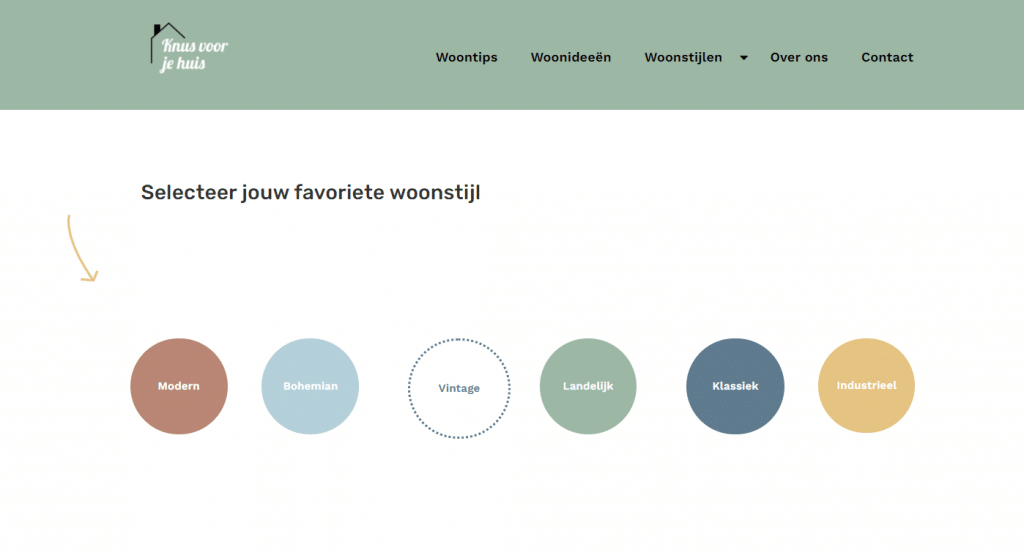 Example website structure in web design – Cozy for your home
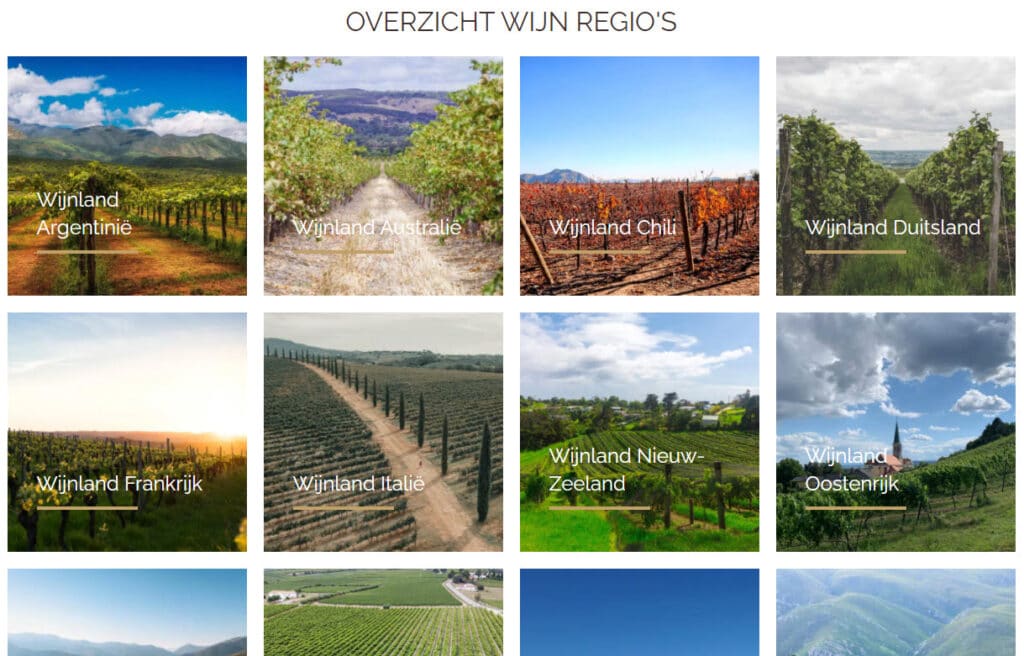 Overview of categories on desktop – De Wijnschuur
This space is not available on mobile, so you’ll need to make different choices here. You might consider one of these two examples:
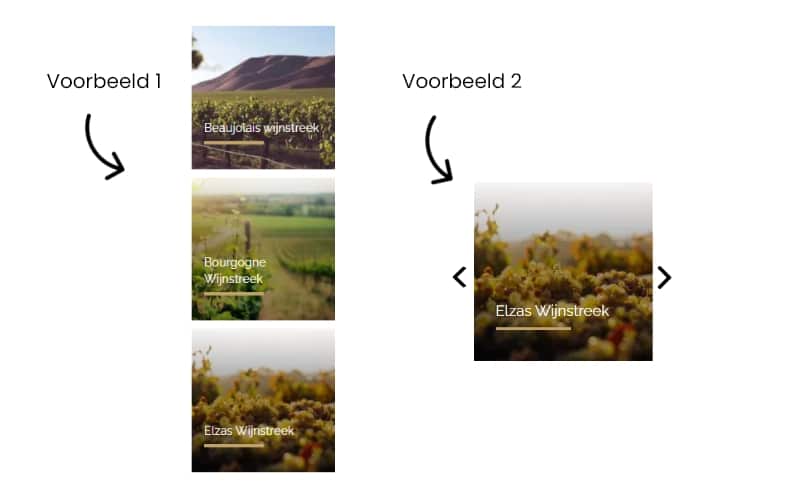 In example 1, you choose to list the categories one below the other, with the user scrolling down, and in example 2, users can swipe or use the arrows. Both examples have pros and cons, and the choice you make depends on various factors.
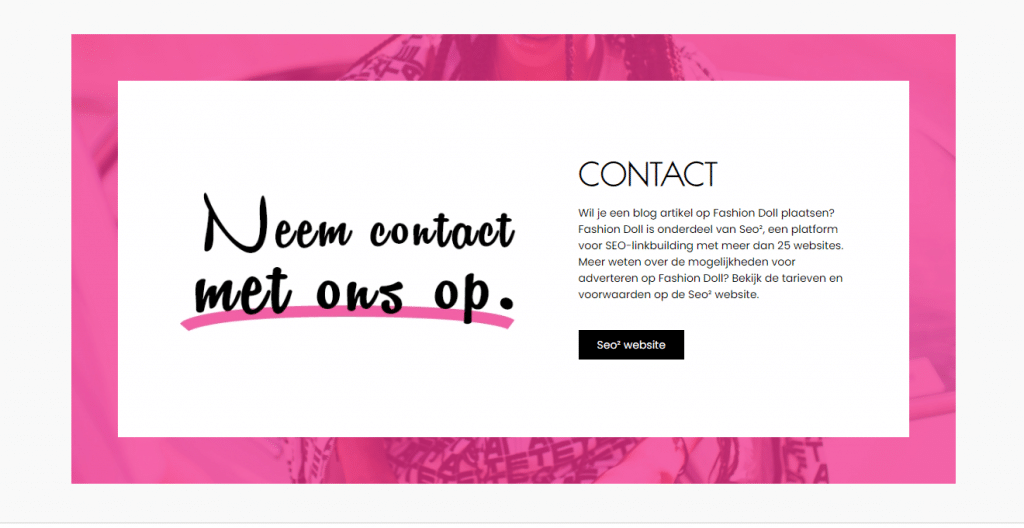 Example of Call to Action – Fashion Doll
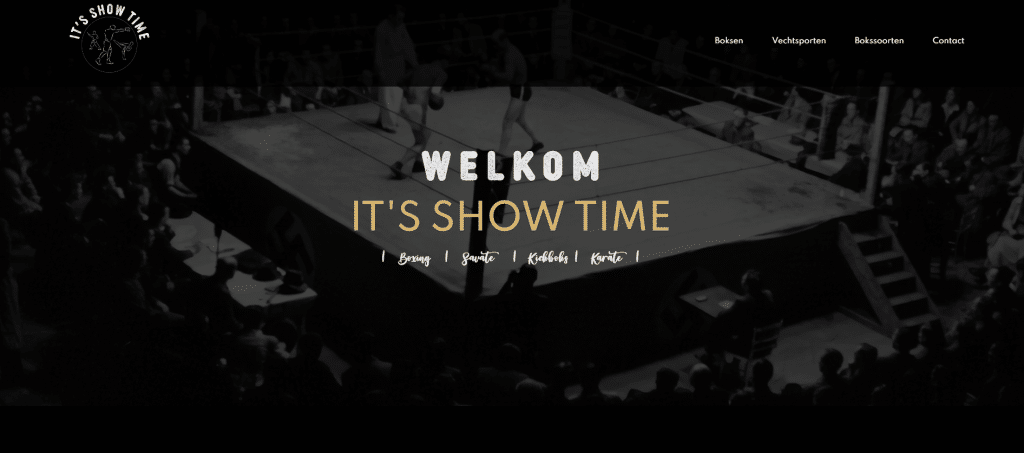 Example of typography – It’s Showtime
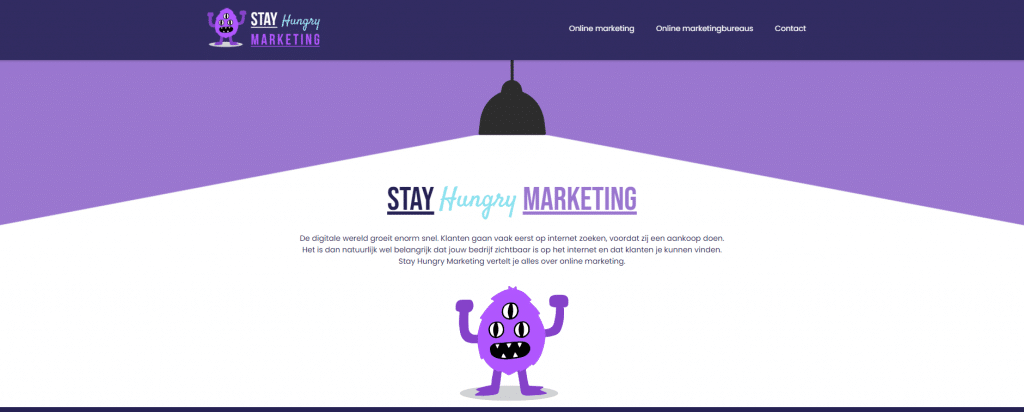 Example of color usage in web design – Stay Hungy Marketing
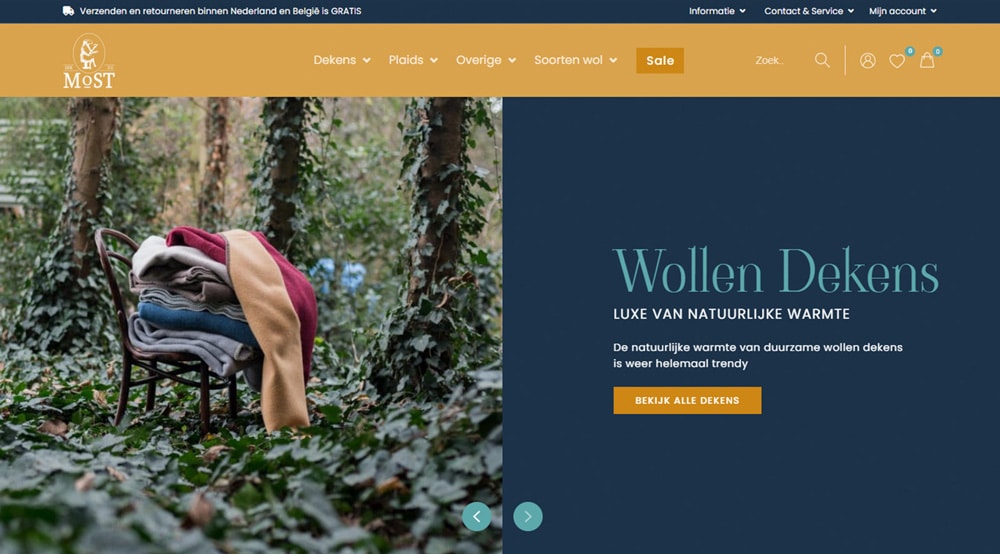 Layout of an online store – MoST Blankets